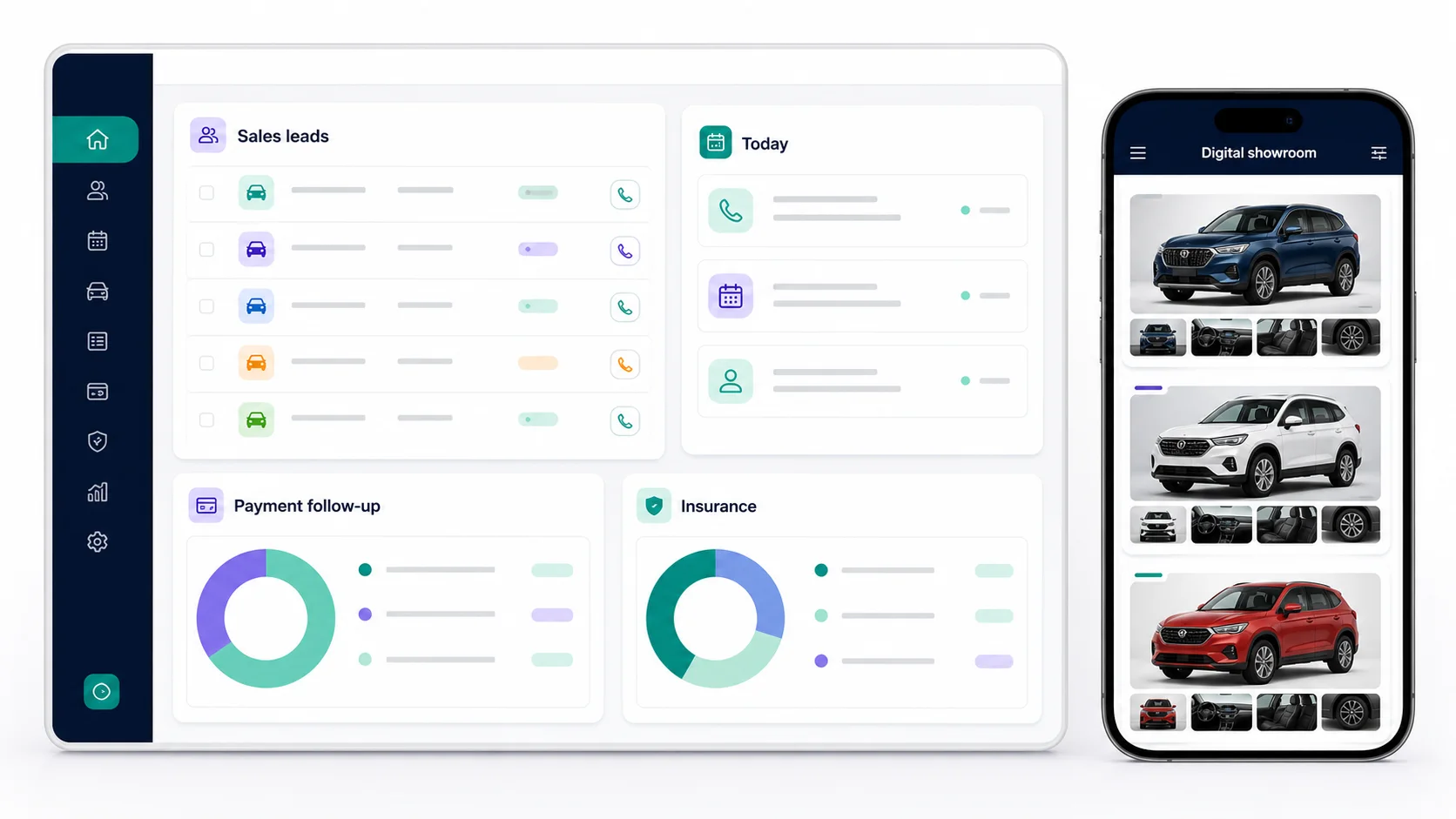
One connected workflow—from the first customer enquiry to follow-up, collection and showroom sharing.
✦
SMART ASSISTANT
Ask for daily dealership work in Hindi, Hinglish or English.
Employees can type or speak naturally to find today’s work, customer details, pending payments and insurance follow-ups. It can also guide a step-by-step vehicle enquiry or quotation flow.
Vinay ki payment pending dikhao
SMART RESULTPending collection foundCustomer and invoice details are ready to review.Open payment follow-up →
Ask in the language used by the salesperson.
Review the exact customer or task returned.
Confirm before any enquiry or quotation is finally saved.
The core assistant runs on JANVIXO’s local rules and workspace data. It does not silently update, pay, deliver or delete business records.
◎
VEHICLE ENQUIRIES
Capture a complete lead while the customer is in front of you.
Save the customer’s name, mobile number, village, vehicle interest and next action date in one short form. Existing mobile numbers stay connected to the same customer profile.
New vehicle enquiry Ready to save
Customer name10-digit mobileVehicle modelVillage / area
Save enquiry
Add the customer and vehicle interest.
Assign the enquiry to a responsible employee.
Open the same customer history whenever they return.
◷
DAILY NEXT ACTIONS
Start the day with the calls and visits that need attention.
Today, overdue and upcoming work stay in separate queues. A salesperson updates the next date and remark after speaking with the customer.
Due todayOverdueUpcoming
RS
Rahul SharmaVehicle demo · 11:30 AM
Open
PM
Priya MehtaFollow-up call · 2:00 PM
Open
Open today’s assigned work.
Call or WhatsApp from the customer action screen.
Save the outcome and next follow-up date.
✓
SALES PIPELINE
Move every enquiry through a controlled sales journey.
Enquiry, Call / Demo, Booking confirmed, Delivered and Lost stages keep active work clear. Booking and delivery operations remain separate from early sales follow-ups.
1. Enquiry2. Call / Demo3. Booking4. Delivered
Update the stage only after real customer progress.
Move confirmed bookings into customer operations.
Keep lost enquiries in reviewable history instead of mixing them with active leads.
₹
INVOICES & COLLECTIONS
Track each invoice and payment follow-up separately.
Create item-based invoices, choose a payment due date and assign the collection owner. Payments remain linked to the correct invoice, even when one customer has several invoices.
PAYMENT DUE₹24,500INV-001-00042
NEXT FOLLOW-UP18 AugAssigned to Ravi
Payment add karo
Create and verify the invoice details.
Follow up against the exact outstanding invoice.
Record received payments with employee and audit history.
JANVIXO supports operational tracking. Businesses should retain their own source documents, statutory records, exports and backups.
◈
INSURANCE RENEWAL
Prepare renewal work from the saved policy expiry date.
Insurance work appears only when policy details have been saved. The dedicated queue keeps renewal calls separate from vehicle sales and payment collection.
30
Policy renewal dueCustomer · Vehicle · Expiry date
Call
12
Renewal follow-upAssigned employee visible
Open
Save active policy details and expiry date.
Assign the insurance owner.
Renew, reschedule or close the work with a remark.
↗
TEAM ACCOUNTABILITY
Make responsibility visible without showing everyone everything.
Owners control roles and access. Each enquiry, collection and insurance task shows the assigned employee so work does not depend on private notebooks or chat memory.
AK
Amit KumarSales executive
12 assigned
RS
Ravi SinghCollections
6 assigned
Add active employees to the workspace.
Give only the permissions their role needs.
Review ownership and activity from owner reports.
▦
DIGITAL SHOWROOM
Share selected vehicle models through one permanent business link.
Publish categories, model details and photos chosen by the owner. Customers can open the link or QR and contact the dealership without signing in.
🚙Premium SUVView model
🚗Family CarView model
🚜TractorView model
Create the showroom’s permanent URL.
Publish selected categories, models and photos.
Share the main showroom, category, model or salesperson QR.
Try the full workflow with your own dealership.
Start with a free workspace, add a test enquiry and see how the daily queues work before choosing a plan.
 CONNECTED BUSINESS. CLEAR CONTROL.